Using K9s
K9s is installed onto the seed VM. You can use this for a more interactive view
of the Kubernetes clusters. From the seed, either run k9s with KUBECONFIG
unset to view the K3s cluster, or export the provided KUBECONFIG file to view
the HA cluster.
$ ./bin/seed-ssh
ubuntu@azimuth-staging-seed:~$ export KUBECONFIG=./kubeconfig-azimuth-staging.yaml
ubuntu@azimuth-staging-seed:~$ k9s
By default, you are viewing the pods in the default namespace.

Here's some simple commands to get started:
- View all namespaces by pressing
0.
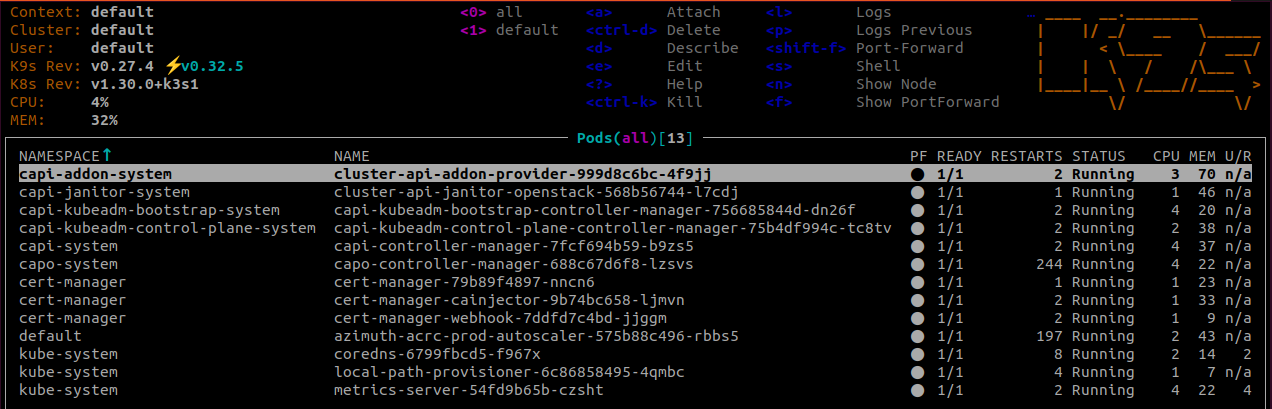
- Select a pod with the arrow keys and view its logs with
l.
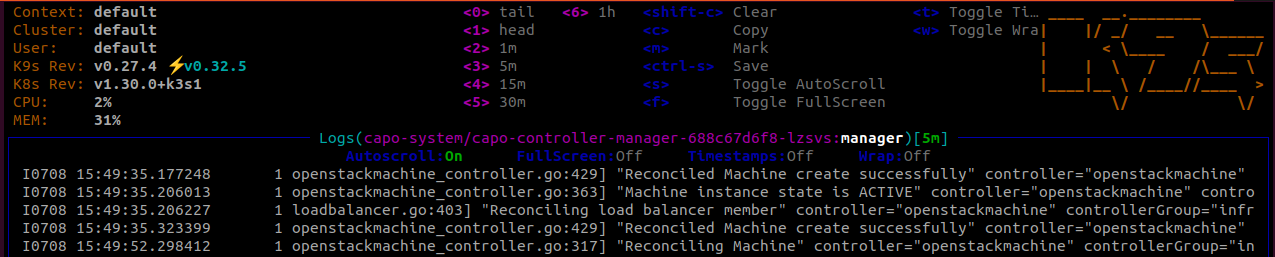
- Switch between resources with
:<resource-type>. For example:
See the k9s docs for more details.
Last update:
March 21, 2025
Created: March 21, 2025
Created: March 21, 2025